



ADV Screen Recorder v4.20.8 MOD APK (Premium Unlocked)

Description
ADV Screen Recorder
INTRODUCTION
ADV Screen Recorder is a powerful and user-friendly Android app designed to help users record their screens smoothly without complicated settings or root access. Unlike many screen recording apps that add watermarks or limit features, ADV Screen Recorder offers a clean, customizable, and flexible recording experience suitable for gamers, content creators, teachers, students, and everyday Android users. With multiple recording engines, real-time drawing, camera overlay, and built-in editing tools, this app makes it incredibly easy to create professional-looking screen recordings directly from your device.
RECORDING WITH 2 ENGINES (DEFAULT AND ADVANCED)
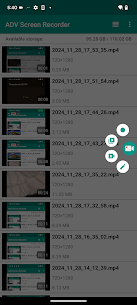
ADV Screen Recorder provides two different recording engines, giving users more control over performance and recording quality. The Default Engine is ideal for everyday tasks such as recording app tutorials, saving chat conversations, or showing someone how to use an app. It runs smoothly on most devices and consumes fewer resources.
For more demanding use, the Advanced Engine offers additional capabilities and stronger performance. This mode is perfect for gamers or content creators who need stable recording, higher quality, and more tools while capturing their screen. The flexibility to switch between engines allows users to choose the best mode depending on the recording situation.
PAUSE RECORDING (REQUIRES ADVANCED ENGINE)
One standout feature of ADV Screen Recorder is the ability to pause recordings when using the Advanced Engine. This saves a lot of time for users who don’t want multiple separate clips or unnecessary video editing.
By pausing instead of stopping, recordings become cleaner, more organized, and more polished. Users can skip loading screens, remove silent moments, or continue a tutorial seamlessly. This feature is especially beneficial for content creators who want to maintain smooth transitions without extensive editing.
DRAW ON THE FLY WITH YOUR FAVORITE COLOR
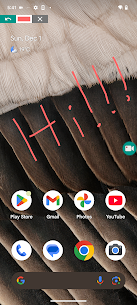
ADV Screen Recorder makes it easy to draw directly on the screen while recording, allowing users to highlight, point, or mark important sections in real time. This tool is perfect for tutorial videos, educational content, or walkthroughs where the viewer needs clear guidance.
Users can choose their preferred color to draw with, making the annotations more visible and engaging. This feature greatly enhances clarity when explaining apps, settings, or steps on screen, and it eliminates the need for additional editing software to add annotations later.
USE FRONT OR BACK CAMERA WHILE RECORDING
This app allows users to include a camera overlay using either the front or back camera during screen recording. This gives videos a personal and interactive touch, making them ideal for reaction videos, gaming commentary, tutorial narration, or online teaching.
The camera window can be moved and resized to fit the screen layout, allowing a more professional video output. Whether you want to show your face, record your surroundings, or display a product you’re reviewing, this feature helps boost engagement and adds more value to recorded content.
SET YOUR TEXT WITH FULL CUSTOMIZATION
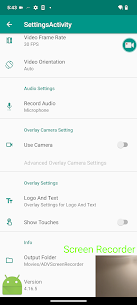
ADV Screen Recorder offers a built-in text customization feature that lets users place text on their recordings. This can be used for branding, watermarks, channel names, labeling, or quick instructions. Users can change the text size, color, style, and position anywhere on the screen.
This feature helps creators maintain consistent branding without needing third-party editing apps. It is especially useful for YouTubers, educators, and professionals who want to deliver clear information or keep ownership of their video content.
SET YOUR BANNER WITH FULL CUSTOMIZATION
In addition to text, users can also add a fully customizable banner to their videos. This banner can serve as a watermark, brand identity, or informational bar to display important details such as a title, social media handle, or channel name.
The banner’s background, color, size, and position can be designed freely to match the content’s visual style. This feature makes ADV Screen Recorder stand out because not many free Android screen recorders provide built-in branding tools without additional editing.
TRIM VIDEO
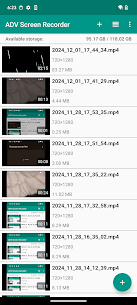
Once recording is complete, ADV Screen Recorder provides a built-in trimming tool that allows users to cut unwanted parts at the beginning or end of the video. This helps remove mistakes, unnecessary pauses, or blank moments without the need for external editing apps.
The trim feature saves time and storage space, allowing users to produce polished content quickly and share it instantly. For busy Android users, having basic editing directly within the app is a convenient advantage that simplifies the entire recording process.
YOU MAY LIKE ALSO:
CONCLUSION
ADV Screen Recorder is a feature-packed screen recording app that gives Android users the freedom to record, annotate, personalize, and edit videos with ease. With dual recording engines, a pause function, real-time drawing, camera support, custom text and banners, and built-in trimming, it provides tools that many other recorders lack—especially at no extra cost.
It is an excellent choice for content creators, gamers, educators, or anyone who needs a smooth and customizable recording experience on Android. If you’re looking for a flexible screen recorder that is easy to use yet powerful enough for professional-style content, ADV Screen Recorder is a standout option worth installing.
Images

Video
Related apps





Latest Updates


