Jelajahi artikel ini
BeralihQuickButtonsPro Navigation Bar
PENDAHULUAN
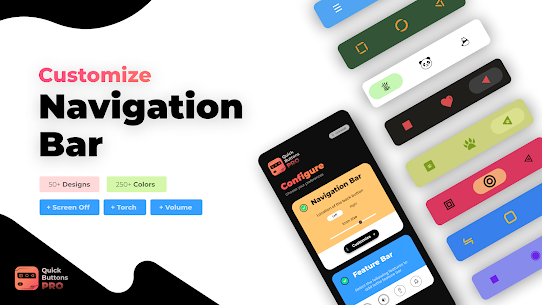
QuickButtonsPro Navigation Bar is a powerful Android customization app that gives you full control over how your navigation bar looks and functions. With more than 250 color options dan 50+ unique icon styles for the Back, Home, and Recents buttons, this app allows you to create a navigation bar that truly matches your personality and device theme. It also includes soft Power, Volume, and Flashlight buttons, helping reduce physical button usage and extending your device’s hardware lifespan.
QuickButtonsPro Navigation Bar
QuickButtonsPro lets you customize both the navigation bar background and icon colors, offering a wide variety of stylish icon designs so you can refresh the look anytime. You can try different themes and choose the one that fits your style best. The app also provides on-screen soft buttons for Power and Volume control, making it easier and safer for your device’s physical keys.
Bagaimana cara kerjanya
First, install the QuickButtonsPro app and enable its Accessibility Service. Once enabled, the navigation bar and feature bar will instantly appear on your screen. After exiting the settings, you will be redirected to the app, where you can begin customizing everything according to your preferences.
Customize Your Navigation Bar
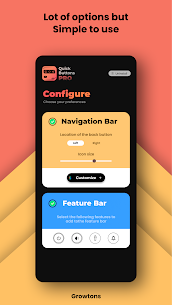
You can choose whether you want the Back button on the left or right side. To start customizing, tap the Customize button and explore multiple options for personalizing your navigation bar.
Customizing Colors
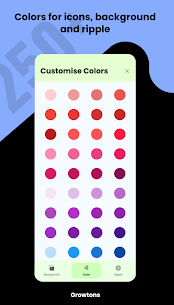
Select the Colors menu to set your preferred shades for the background, icons, and ripple effect. Just choose a section from the bottom menu, pick a color, and the changes apply immediately.
Styling Navigation Bar Icons
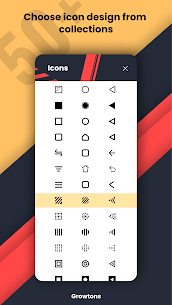
Tap on Icons to explore a variety of icon themes designed for the navigation bar. Simply select your favorite icon design and it will update instantly on your screen.
Advanced Settings
The Advanced Settings section allows you to enable or disable vibration feedback for navigation bar icons. You can also choose to show or hide the dock button for a cleaner look.
Customizing the Feature Bar
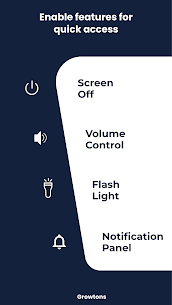
Within the Feature Bar section, select the shortcut buttons you want to display—such as Power, Volume, or Flashlight—making your device usage faster and more convenient.
Show or Hide Navigation Bar
To hide the navigation bar, press the dock button located on the right side of the bar. Swipe or tap the bottom of your screen to reveal it again whenever needed.
Dock or Undock the Feature Bar
You can dock the feature bar to save screen space by tapping its dock button. Tap the bar again to expand it back to full size.
Enjoy using QuickButtonsPro and don’t forget to rate the app if you love the experience!
Catatan: This app uses Accessibility Service only to provide navigation, power, volume, and flashlight features.
Catatan: On devices running Android Oreo or older, Device Admin permission may be required for the soft Power button feature. This permission is optional if you don’t plan to use the Power button function.
ANDA MUNGKIN JUGA AKAN MENYUKAINYA:
Smart navigation bar – navbar slideshow
KESIMPULAN
QuickButtonsPro Navigation Bar is a simple yet powerful tool for anyone who wants a visually appealing, highly functional, and customizable navigation bar experience. With extensive color options, icon themes, and convenient soft keys, it enhances your device’s usability while protecting your physical buttons.