



Xodo PDF v10.9.0 MOD APK (Langganan Pro)

Info Mod:
- Langganan Pro / Fitur berbayar tidak terkunci;
- Menonaktifkan / Menghapus Izin yang tidak diinginkan + Penerima + Penyedia + Layanan;
- Grafis yang dioptimalkan dan disejajarkan serta sumber daya yang dibersihkan untuk pemuatan yang cepat;
- Izin Iklan / Layanan / Penyedia dihapus dari Android.manifest;
- Tautan iklan dihapus dan metode pemanggilan dibatalkan;
- Visibilitas tata letak iklan dinonaktifkan;
- Pemeriksaan paket pemasangan Google Play Store dinonaktifkan;
- Kode debug dihapus;
- Hapus nama tag .source default dari file java yang sesuai;
- Analisis / Crashlytics / Firebase dinonaktifkan;
- Bahasa: Multi Bahasa Lengkap;
- CPU: armeabi, armeabi-v7a, arm64-v8a, x86, x86_64;
- DPI layar: 120dpi, 160dpi, 240dpi, 320dpi, 480dpi, 640dpi;
- Tanda tangan paket asli berubah;
- Dirilis oleh Balatan.
Description
Xodo: The All-in-One PDF Reader and Editor
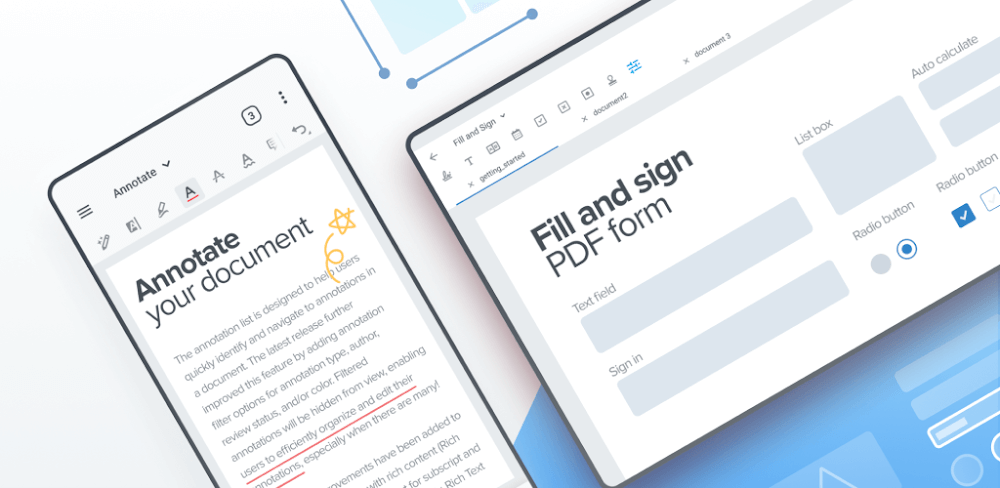
In a world where PDFs are essential for work, school, and personal use, having a reliable tool to read, edit, and manage documents is crucial. Xodo is an all-in-one PDF reader, annotator, and editor that allows users to read, sign, fill forms, and collaborate in real time. With powerful features and seamless cloud integration, Xodo makes handling PDFs fast, simple, and efficient.
PDF Reader with Powerful Features
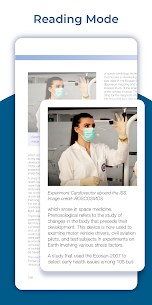
Xodo offers one of the fastest PDF viewing engines, ensuring smooth navigation across large documents. Users can bookmark pages, use Night Mode for comfortable reading, and work with multiple files using tabbed browsing. Options like reflow mode, continuous scrolling, full-screen view, and text search make it easy to access content the way you prefer. Xodo also supports Samsung Multi Window and page cropping for small screens, making it ideal for both phones and tablets.
PDF Annotator and Editor
With Xodo, you can write directly on PDFs using text, highlights, underlines, or shapes like arrows and circles. The annotation summary lets you quickly view and navigate all your notes. Advanced editing tools include merging, splitting, rotating, or rearranging pages. Optimized for stylus use, Xodo ensures smooth annotation whether you’re reviewing documents or taking notes.
Sign, Fill, and Create PDFs
Xodo makes it easy to sign and fill PDF forms directly on your device. Save your signature for future use, complete forms, and send them instantly. You can also scan pages with your camera or convert images into PDFs. Creating blank PDFs for notes or quick drafts is just as simple, giving you flexibility for both work and personal needs.
Cloud Sync and File Management
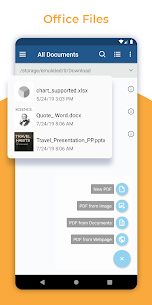
Xodo integrates seamlessly with Google Drive, Dropbox, and OneDrive, syncing changes automatically without re-uploading entire files. Its built-in file manager lets you rename, move, or delete documents and folders with ease. Recent files reopen at the last page visited, while grid view provides convenient previews. Collaboration is simple with Xodo Connect, allowing real-time annotations with others online—no downloads or signups required.
ANDA MUNGKIN JUGA AKAN MENYUKAINYA: WPS Office MOD APK
Kesimpulan
Xodo combines speed, usability, and powerful tools to create a complete PDF solution. From smooth reading and advanced annotations to signing, filling, and real-time collaboration, it delivers everything in one app. With cloud syncing and full device optimization, Xodo is a must-have for anyone who works with PDFs regularly.
Images




Related apps





Pembaruan Terbaru


